DealsRky Editorial
WiFi Extender Booster UK: A Practical Buyer's Guide to Extending Your Home Network
Not sure whether a WiFi extender is the right fix for your weak signal at home? This guide walks through the key things to check, how these devices work in real UK households, and whether this 2800 sq.ft booster is...
Introduction: When Your WiFi Signal Doesn't Reach Every Room
Most UK homes have at least one room where the WiFi just drops off. Whether it's the back bedroom, the garden office, or the kitchen where the router sits too far away to carry a reliable signal, dead zones are frustratingly common. If you have a decent broadband package but your devices still struggle to connect in certain areas, a WiFi extender booster could be the practical fix you're looking for.
This guide is specifically focused on the kind of device that promises to eliminate those dead zones without requiring a full network overhaul. We'll break down what these extenders actually do, who they suit best, what features matter most, and how to decide whether this particular model is worth your attention.
---
Who Is a WiFi Extender Booster Best For?
A WiFi extender is most useful when you have a working router but the signal doesn't stretch far enough to cover your entire property. If you live in a larger house, a three-storey terrace, or a property with thick stone walls — common in many UK homes — you may already know exactly where your problem spots are.
This type of device works well for:
- Homes with consistent dead zones — particular rooms or floors where the signal is weak or drops entirely
- People who rent or can't modify their existing router setup — extenders don't require reconfiguration of your main network
- Households with multiple users — families where several people are streaming, working, or gaming simultaneously across different rooms
- Those on a moderate broadband plan — if you're on a standard fibre package up to around 100Mbps, an extender can help distribute that signal more effectively without bottlenecking
However, if your router itself is outdated, or if you're on a very high-speed plan and need consistent top-tier performance across all devices, you may want to look at a mesh system instead. Extenders are excellent for targeted coverage, but they aren't a full network replacement.
---
What to Look For in a WiFi Extender
Before choosing any WiFi booster, there are several practical specifications worth understanding.
Coverage Area
The stated coverage figure tells you how far the extended signal can reach under ideal conditions. This particular model claims up to 2800 square feet of coverage. That figure is helpful as a starting point, but real-world performance depends on your home's layout, wall materials, and interference from neighbouring networks. It's worth measuring the rough distance from your router to the furthest problem room and treating the coverage claim as an upper bound rather than a guaranteed figure.
Number of Connected Devices
Many extenders list a device capacity. This model supports up to 55 devices simultaneously. For most households that's more than enough, but it's worth thinking about whether you tend to have many devices running at once — multiple phones, laptops, smart speakers, streaming sticks, and gaming consoles can quickly add up. If you regularly max out your current network, a higher device capacity is worth prioritising.
Speed and Frequency Band
This extender operates on a single band at up to 300Mbps. Single-band devices operate on the 2.4GHz frequency, which carries further and passes through walls more easily than higher frequencies, but at slower speeds. If you're extending a network primarily for browsing, email, video calls, and standard streaming in HD, 300Mbps is adequate for most everyday needs.
If you need to support 4K streaming on multiple devices or heavy online gaming simultaneously, you may find a dual-band extender more suitable. However, for targeted dead zone coverage at a practical price point, single-band remains a common and sensible choice.
Antenna Design
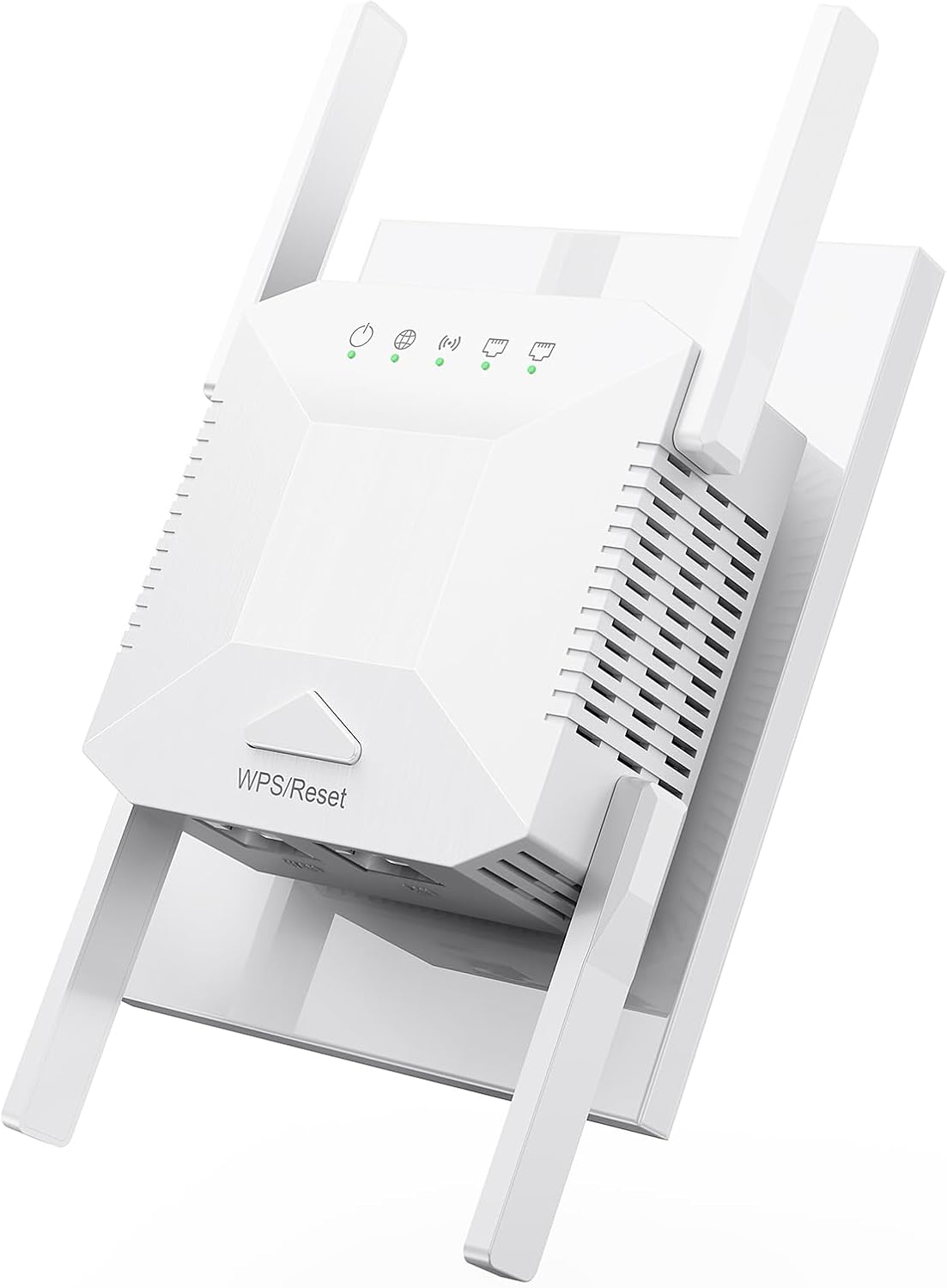
Four external antennas on this model are designed to amplify and distribute the signal across a wider area. More antennas generally mean better signal distribution and improved stability across multiple rooms. The antenna design also affects how well the extender handles the signal through obstacles, which matters in properties with multiple walls between the router and the extended area.
Connectivity Options
An Ethernet port is a practical feature that many buyers overlook. It allows you to connect a device that needs a more stable, wired connection — such as a desktop PC, a smart TV, or a games console — directly to the extender. Even if your primary devices connect wirelessly, having the option to hardwire something in can make a meaningful difference to performance.
Security Standards
This model uses WPA/WPA2 encryption with a built-in security chip. For any device that handles your home network, ensuring it supports current security protocols is essential. WPA2 remains the standard you should expect from any new network equipment.
---
Practical Buying Considerations
Placement Matters More Than Specs
The position of your WiFi extender has a significant impact on how well it performs. The device needs to sit somewhere with a reasonably strong signal from your existing router — it cannot create a signal from nothing. A good rule of thumb is to place the extender roughly halfway between your router and the problem area, ensuring it still receives a usable signal to rebroadcast.
Avoid placing the extender in a cupboard, behind thick furniture, or in a corner where the signal has to pass through multiple walls to reach your devices. Central positioning and some elevation — a shelf rather than floor level — can make a noticeable difference.
Check Your Existing Router
An extender works within the limits of your current router. If your router is several years old and running outdated firmware, the extender will still be bound by those constraints. Before investing in an extender, it's worth checking whether a firmware update or a router repositioning might help on its own. Extenders work best when your baseline network infrastructure is solid.
Understand the Speed Trade-Off
When an extender rebroadcasts your signal, it typically uses part of its bandwidth to communicate with the main router and part to communicate with your devices. This means the extended signal will generally be slower than a direct connection to your router. For browsing, streaming, and general use, this difference is usually unnoticeable. For high-bandwidth tasks like large file downloads or competitive online gaming, it's worth factoring in.
Verify What You're Actually Paying For
Before purchasing any network equipment, check the current price on the retailer's listing. Prices, availability, and shipping options can all change, and it makes sense to confirm the details at the point of purchase rather than relying on earlier research. Look at whether the product is fulfilled from the UK, what delivery timeframes apply, and whether the listing includes any accessories or setup guidance.
---
How This Model Stacks Up
This WiFi extender booster offers a practical feature set for everyday home use. With coverage up to 2800 square feet and capacity for up to 55 devices, it sits comfortably within what most UK households need. The 300Mbps single-band speed is sufficient for standard broadband use across multiple devices, and the four-antenna design should provide reasonably stable distribution across several rooms.
The inclusion of three work modes — repeater, access point, and Ethernet-connected router mode — gives some useful flexibility if your needs evolve. The wired connectivity option is a practical addition that many comparable models at this price point don't always include.
For someone dealing with specific dead zones in a medium-sized property, this is a sensible option to consider. It's less suited to those who need the highest possible speeds or who want to completely replace their router with a mesh network, but as a targeted solution for WiFi dead zones, it covers the key requirements well.
---
Related Picks to Consider
If you're exploring ways to improve your home setup, here are a few related products from our catalog that other readers have found useful:
- 4-Pack Solar Ultrasonic Mole Repellent — outdoor pest deterrent for gardens and lawns, IP66 waterproof rating
- Victoper Electric Heated Throw Blanket — 160x130cm with six temperature levels and machine-washable design
- Bone Conduction Headphones — waterproof sports earphones with open-ear design, suitable for running and cycling
- Nano Hydroxyapatite Toothpaste — fluoride-free enamel repair toothpaste with natural mint formula
These selections span different categories, but all are practical everyday items that our editorial team has reviewed with the same approach used here.
---
Conclusion: Is This WiFi Extender the Right Fit for You?
If you're dealing with weak WiFi in certain areas of your home and your current router is performing adequately elsewhere, a WiFi extender is a straightforward and affordable solution. This particular model provides solid coverage, decent device capacity, and useful flexibility through its three operating modes and wired connectivity option.
It's best suited to households on standard to mid-range broadband packages, in properties with layout challenges — thick walls, multiple floors, or longer distances from the router — where the signal naturally falls short. If your needs are primarily about reaching those dead zones reliably without investing in a full mesh system, this extender offers a practical balance of coverage, ease of use, and value.
Before buying, take a moment to verify the current price and delivery details on the product listing. That way you'll know exactly what you're getting and can compare it against any alternatives you're considering.
Browse more smart picks
Continue exploring our curated deal pages and product breakdowns for more practical buying guidance.
More US buying guides
These articles are prioritized for shoppers browsing from the same marketplace region.